Amazon’s gift card balance appears instantly through the mobile app’s Account icon or desktop’s amazon.com/gp/css/gc/balance shortcut. Users can check unredeemed physical cards without adding them by contacting customer support through the website’s footer menu. Common display issues include unactivated cards from cashier errors, outdated app caches, or regional account mismatches. Clearing browser cache, force-quitting apps, or signing out typically resolves balance sync problems. Support chat handles persistent activation errors within 24-48 hours when standard fixes don’t work.
Key Takeaways
- Use the Amazon app for fastest access: tap Account icon, then scroll to Gift Card Balance for two-tap viewing.
- Desktop shortcut: paste amazon.com/gp/css/gc/balance in your browser’s address bar for direct balance page access.
- Clear browser cache or force-quit and restart the app when balance shows incorrectly or won’t update.
- Contact Amazon chat support to check unredeemed physical card balances without adding them to your account.
- Return cards showing zero balance to purchase location with receipt if activation errors occurred at checkout.
Quick Steps to Check Your Balance on Desktop and Mobile
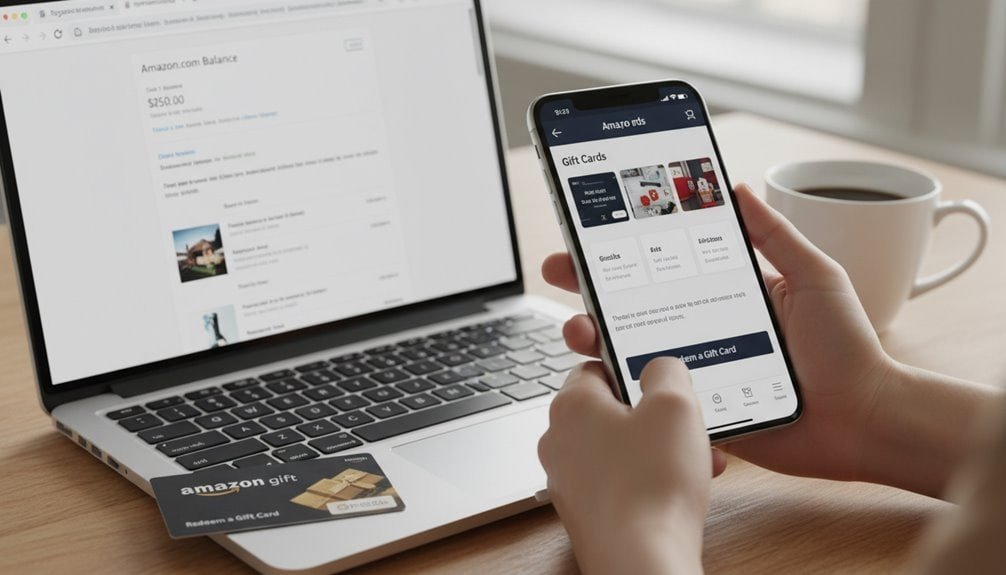
When someone needs to check their Amazon gift card balance, they’ll find the process straightforward whether they’re using a desktop computer or mobile device. On desktop, they can sign into their Amazon account and navigate to Account & Lists > Account, then click the Gift Cards section to view their current balance.
For faster access, keyboard shortcuts prove invaluable—pressing Control/Command+L and pasting amazon.com/gp/css/gc/balance takes users directly to the balance page.
Mobile users have even quicker options. The Amazon Shopping app displays the balance with just two taps: pressing the Account icon and scrolling to Gift Card Balance.
They’ll see their funds immediately without extra navigation. For instant access, users can add app widgets on supported devices or create home-screen shortcuts to the Gift Cards page. The mobile app’s optimized interface makes it the fastest option for on-the-go balance checks, while desktop browsers offer powerful bookmark and shortcut capabilities for regular monitoring. Users can also reload their balance directly from either platform by selecting the reload option in the same gift card section.

How to Check Balance Without Redeeming Your Gift Card
Some gift card holders prefer checking their balance before adding funds to their Amazon account.
Since unredeemed cards don’t display balances online, they’ll need Amazon’s customer support assistance.
To start, users navigate to the website footer and click “Customer Service.”
They’ll follow this path: “Payments, charges, invoices, and gift cards” > “Gift cards and top-up” > “Using gift cards on top-up balance” > “What is my gift card balance.”
After clicking “I need more help” and “Start chatting now,” they’ll connect with an associate.

In the chat interface, users select “Payments charges prime or account” then navigate through gift card options to reach a live representative.
The chat agent can verify the physical card’s balance without redeeming it.
Users must provide their gift card details for verification.
This method respects privacy considerations since funds remain on the card rather than transferring to the account.
Amazon’s system has legal limits preventing direct balance viewing of unredeemed cards online.
The technical infrastructure requires either full redemption or support intervention—there’s no middle ground for self-service balance checks.
Troubleshooting Balance Display Issues and Reload Options
Even though Amazon’s gift card system typically works smoothly, users occasionally encounter balance display problems or activation issues that prevent access to their funds.
The most common culprits include unactivated cards from cashier errors, cached data showing outdated balances, and account restrictions blocking fund access.
Users can resolve most balance issues through these steps:
- Cache Clearing – Force-quit the app, clear browser cache, or sign out and back in to trigger a fresh balance sync from Amazon’s servers
- Check Regional Locks – Verify they’re signed into the correct country-specific Amazon account, as gift card balances don’t transfer between regional wallets
- Verify Activation – Return to the purchase location with receipt if the card shows zero balance, as cashiers sometimes fail to scan activation barcodes
Account security flags, outdated app versions, or browser extensions can also hide balances temporarily. Additionally, check for card tampering signs like opened packaging or removed silver strips, which indicate the code may have been stolen before purchase.
When standard troubleshooting fails, contacting Amazon support with purchase documentation typically resolves persistent issues within 24-48 hours.
Frequently Asked Questions
Can I Transfer My Amazon Gift Card Balance to Another Account?
Amazon doesn’t allow direct transfers of gift card balances between accounts for security reasons.
Once someone redeems a gift card, it’s permanently tied to their account. They can’t use account gifting or peer gifting features for balances.
However, they can contact customer service for help if funds landed in the wrong account. Alternatively, they’ll need workarounds like purchasing items to resell or using third-party platforms for indirect transfers.
Do Amazon Gift Cards Expire or Lose Value Over Time?
Amazon gift cards don’t expire and won’t lose value over time.
The company’s expiration policies guarantee claim codes remain valid indefinitely, whether they’re unredeemed for weeks or years. Once someone redeems a card, the balance transfers to their account permanently.
Amazon doesn’t charge inactivity fees or dormancy charges, so the full value stays intact. Federal law requires five-year minimum validity, but Amazon exceeds this requirement with lifetime validity for US cards.
What’s the Maximum Gift Card Balance I Can Hold?
Amazon doesn’t state an official maximum gift card balance limit, but users shouldn’t bank large amounts.
Accounts with balances over $1,000-1,500 often face reviews or closures without warning.
Regional limits don’t apply to gift card balances, and business accounts follow the same unstated thresholds.
Amazon’s closed accounts with $1,300-3,000 balances, citing terms violations.
They’ll apply gift cards directly at checkout instead of storing them to avoid account risks.
Can I Use Gift Cards for Amazon Prime Membership Payments?
Yes, customers can use gift cards for Amazon Prime membership payments.
When subscription credits from gift card balances cover the full Prime renewal amount, Amazon’ll automatically charge the gift card first. However, they should verify their account has sufficient balance before the billing date.
Some regions don’t support gift cards for recurring subscriptions, and partial balances won’t combine with other payment methods. Users must check their Prime payment settings to confirm proper application.
Are Gift Card Balances Refundable for Cash?
Amazon’s refund policies don’t allow cash refunds for gift card balances except where legally required.
Some states mandate cash redemption for small balances under specific thresholds as consumer protections.
Users can’t directly convert their balance to cash through Amazon.
They’ll need to explore workarounds like reselling purchased items or using gift card exchange services, which typically offer below face value.
Amazon returns gift card purchases back to gift card balance.
Conclusion
Checking an Amazon gift card balance doesn’t have to be complicated. Users can quickly view their balance through desktop browsers, mobile apps, or even without redeeming the card first. When balance display issues pop up, they’ll find simple fixes like clearing cache or updating the app usually solve the problem. With these straightforward methods and troubleshooting tips, anyone can track their gift card funds efficiently and start shopping without delays or confusion.