Personalized luggage tags are a smart and stylish way to make your bags stand out at airports, hotels, or road trips. In this guide, we’ll explore the best free luggage tag templates in Word that are easy to customize and print right at home.
No design skills needed—just open Microsoft Word, type your details, and you’re ready to go! You’ll also learn how to design your own tags, print them clearly, and even use them for more than just travel. Whether you’re planning a vacation, sending gifts, or labeling kids’ bags, this article will help you travel smart with simple, free luggage tags.
Benefits of Using Custom Luggage Tags
Easy Bag Identification
A bright, custom tag helps you spot your bag quickly at airports or hotels.

Prevents Lost Luggage
Including your contact info on tags makes it easier for others to return your bags if lost.
Adds Personal Style
With fun colors, fonts, or designs, your luggage tag can match your personality or trip theme.
Great for Group Travel
Custom tags help you tell bags apart when traveling with family or friends.
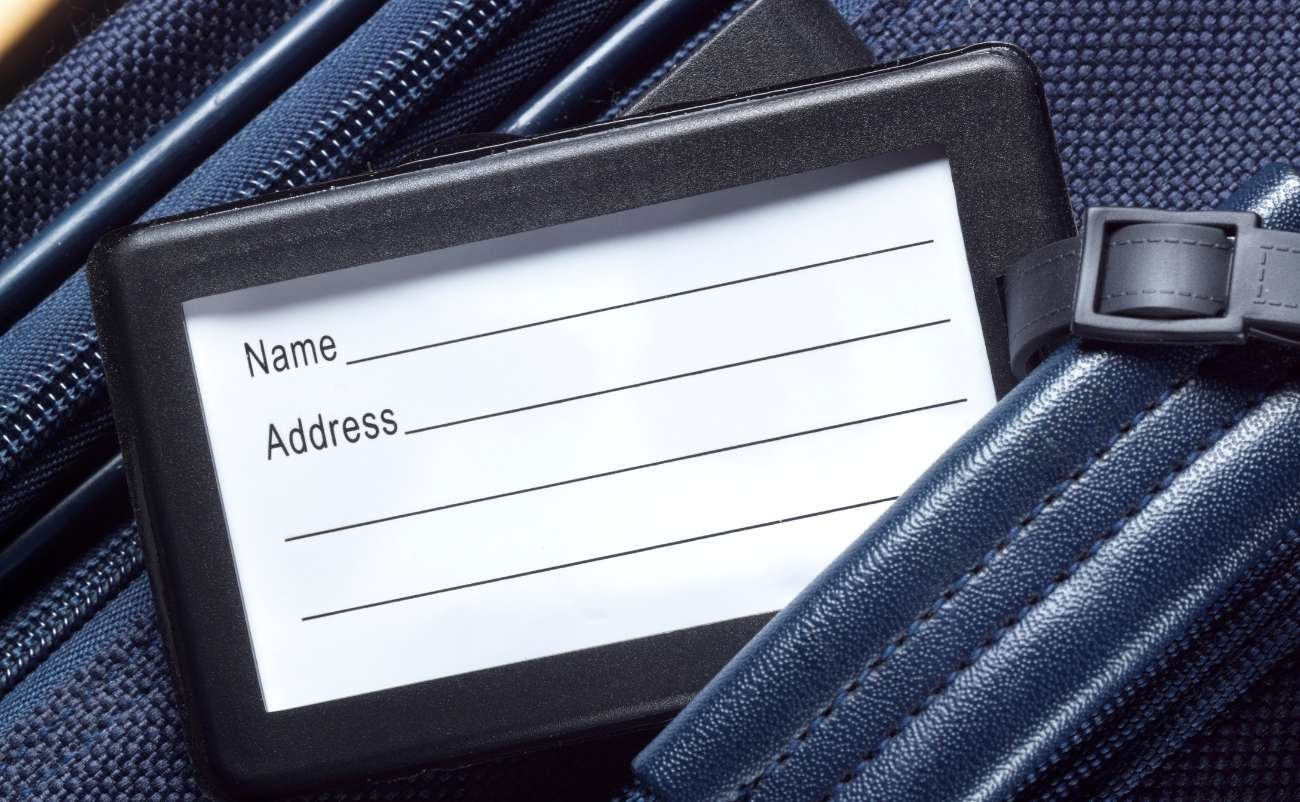

Overview of Word Templates for Luggage Tags
What Is a Word Template?
A Word template is a ready-made design file you can open in Microsoft Word. It has spaces for your name, address, phone number, or even cute icons.
Why Use Word Templates?
- Super easy to edit
- No graphic design skills needed
- Free to download and use
- You can customize colors, fonts, and layout
What’s Included in a Luggage Tag Template?
Most Word templates have:
- Editable text fields
- Design elements like borders or icons
- 2–4 tag designs per page for easy printing
How to Create Your Own Luggage Tag in Word
Step-by-Step Guide
- Open Word – Start a blank document or use a downloaded template.
- Set Size – Use table cells or text boxes to make a rectangle about 3×4 inches.
- Add Your Info – Type your name, address, phone, and email.
- Style It – Choose fun fonts, background colors, and borders.
- Add Clip Art or Icons – Insert small pictures like suitcases, planes, or travel icons.
Save and Reuse
Once done, save your tag as a template. You can use it again for future trips or gift tags!
DIY Top 10 Free Luggage Tag Templates You Can Make
Using the above example and tips, you can make something like this or even more.
1. Classic Black & White
Simple, elegant design. Easy to print and very clear to read.
2. Color Block Travel Theme
Bright background colors with a fun airplane graphic—great for vacations.
3. Minimal Modern Look
Clean lines with modern font, perfect for business trips.
4. Cute Kids’ Luggage Tag
Cartoon images with space for name and school info—ideal for backpacks.
5. Floral Tag for Women
Pretty flowers and soft colors make any bag look stylish.
6. Bold & Bright Party Tag
Good for birthdays or special events—add a photo or message!
7. Rustic Kraft Paper Look
Brown background with a handwritten-style font for rustic charm.
8. Monogram Style
Use your initials in a fancy font and customize the color.
9. Tropical Vibes
Palm trees, sunshine, and beach graphics—perfect for summer travel.
10. Editable Photo Tag
Upload your own photo, so there’s no confusion which bag is yours.
✅ All these templates are free and editable in Microsoft Word. You can find many at websites like Template.net, Microsoft Office Templates, or Pinterest.
Tips for Designing Eye-Catching Luggage Tags
Keep It Readable
Use bold fonts and large text for your name and contact info.
Stick to Bright Colors
Colors like orange, pink, or green help your tag stand out on the baggage belt.
Add Fun Elements
Use small icons like airplanes, palm trees, or flags to show your style.
Include Emergency Contact
Optional but helpful in case something happens during travel.
How to Print Your Luggage Tags for Best Results
Use the Right Paper
- Cardstock – Thick paper works best for strong tags.
- Laminating Sheets – Protect your tag from water or tears.
- Sticker Paper – For fun luggage tag stickers.
Print Settings
- Set paper size to A4 or Letter
- Choose “Best Quality” or “High Resolution”
- Use color printing if your tag has graphics
Cut and Attach
Cut neatly along the lines, punch a hole at the top, and use a string, ribbon, or zip tie to attach to your bag.
Creative Ways to Use Luggage Tags Beyond Travel
1. Gift Tags
Add a message and tie it to a gift bag or present.
2. School Bag ID
Helps kids identify their bags or lunch boxes easily.
3. Party Favor Labels
Put names and thank-you notes on them for party bags.
4. Pet Travel Tags
Use them on pet crates with your contact info when flying or moving.
5. Storage Labels
Tag your boxes during a move or organize seasonal clothes.
Conclusion: Travel Smart with Personalized Luggage Tags
Using free luggage tag templates in Word is one of the easiest ways to stay organized while traveling. These tags help you identify your bags quickly, prevent loss, and add a personal touch to your travels.
Whether you like simple, fun, or stylish designs, there’s a free template out there for you. Plus, with just a printer and some creativity, you can make your own tags in minutes.
So go ahead, download a template, print it out, and travel with style and peace of mind!
Frequently Asked Questions About Luggage Tags
1. Where can I find free luggage tag templates in Word?
You can find them on websites like Microsoft Office Templates, Template.net, Pinterest, and Etsy (for free downloads). Just search for “free luggage tag Word template.”
2. How do I use a Word template for luggage tags?
Download the file, open it in Microsoft Word, type your personal details, then print and cut out the tags. You can also decorate them before printing.
3. Can I print luggage tags at home?
Yes! Use cardstock or thick paper. For best results, print in color, then laminate or cover with tape for protection.
4. What information should I put on a luggage tag?
Include your name, phone number, email, and destination address. You can also add an emergency contact.
5. Are luggage tag templates safe to use?
Yes, as long as you download from trusted websites and don’t share your personal info online. Always use antivirus protection when downloading files.
Content
Content
Content
Content