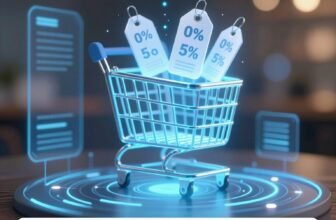
Cross-sell and upsell offers appear at key moments during online checkout—on the cart page, within the checkout flow, and on the order confirmation page—each timed to catch buyers when their purchase intent’s at its peak. Cross-sells suggest complementary products, while upsells encourage upgrades or larger quantities. Platforms like Stripe update these recommendations in real time, keeping offers seamless rather than disruptive. There’s much more to understand about what makes these offers actually work.
What Are Checkout Upsells and Cross-Sells?
Checkout upsells and cross-sells are two distinct but complementary sales strategies that online retailers use to increase order value during the purchasing process. Upsells encourage buyers to purchase the same product in a larger quantity or upgrade to a better version, such as switching from a monthly subscription to an annual billing plan. Cross-sells suggest related or complementary products that enhance the buyer’s primary purchase.
These strategies appear at critical moments throughout checkout. Cross-sells show up as add-ons on the checkout page, displaying complementary products like printer ink alongside a printer purchase. Upsells often surface during the initial purchase or on the order confirmation page, sometimes paired with one-time coupons to drive conversions.
Both tactics capitalize on a buyer’s high purchase intent. When executed with relevance and precision, they enhance the shopping experience rather than distract from it, benefiting both retailers and customers alike.
Where These Offers Actually Show Up at Checkout
Online retailers place cross-sell and upsell offers in two primary locations: directly on the checkout page and on the post-purchase confirmation page.
During checkout, complementary products appear as add-ons alongside cart items, nudging buyers toward related purchases while their intent to buy remains high.
After a completed purchase, confirmation pages present one-time offers, down-sells, or incentive-based deals like “buy two, get one free” to capture additional revenue without disrupting the initial transaction.
Checkout Page Placement
Cross-sells often show up as add-ons, presenting complementary products relevant to what’s already in the cart. For example, a buyer purchasing a printer might see an ink cartridge bundle appear before completing the order.
Upsells, meanwhile, may prompt a buyer to upgrade to a larger quantity or better version of the same product. Strategic placement keeps these offers visible without disrupting the checkout flow.
Post-Purchase Offer Locations
Once a buyer completes their purchase, the order confirmation page becomes prime real estate for upsell and cross-sell offers. Sellers strategically place these offers here because the buyer’s payment details are already entered, reducing friction for additional purchases. A common approach involves presenting one-time coupons, such as “Buy any one of three items and save 10% with this use-it-or-lose-it coupon,” creating urgency without disrupting the initial transaction.

Post-purchase down-sells also appear here if a buyer declines the first offer, often featuring deeper discounts to recapture interest. Sellers sometimes sweeten deals further with incentives like a free third item when buying two. These confirmation page placements boost satisfaction while driving additional revenue without interrupting the original checkout flow.
What Makes an Upsell or Cross-Sell Worth Clicking
What separates a compelling upsell or cross-sell from one that gets ignored? Relevance is the deciding factor. Shoppers respond when an offer feels like a natural extension of what they’re already buying. A camera bag alongside a DSLR makes sense. A random kitchen gadget doesn’t.
Timing also matters significantly. Offers that appear when purchase intent is highest — during checkout or immediately after — catch buyers in a receptive mindset. Post-purchase coupons with use-it-or-lose-it urgency push hesitant buyers toward faster decisions.
Value must be obvious and immediate. A 50% discount on a second month’s supply of dog food communicates clear savings without requiring mental effort. Similarly, smaller add-ons like AppleCare feel manageable against a larger purchase price.
Personalization strengthens click-through rates further. When offers reflect recently viewed products or items frequently bought together, they feel curated rather than generic, making shoppers far more likely to act.
How to Use Upsells During the Initial Purchase
Timing an upsell correctly during the initial purchase can considerably impact a buyer’s decision, as high purchase intent makes customers more receptive to relevant offers. Sellers often present larger quantity deals, like an additional month’s supply of a product at a steep discount, framing them as one-time opportunities the buyer won’t see again.
Apple’s approach of offering AppleCare at checkout exemplifies how a smaller, complementary add-on can feel like a natural extension of the main purchase rather than an unwanted distraction.
Upsell Timing Strategies
When should a business present an upsell offer to maximize its impact? Timing determines whether an upsell feels helpful or intrusive. The most effective moment arrives when a buyer’s purchase intent peaks—typically while they’re actively completing a transaction.
During the initial purchase, businesses can offer the same product in a larger quantity or an upgraded version. A dog food subscription, for example, might prompt buyers to grab another month’s supply at 50% off as a one-time deal. This approach works because the buyer’s decision-making momentum is already active.
Post-purchase upsells appear on order confirmation pages, pairing one-time coupons with time-sensitive urgency. If a buyer declines, a down-sell with a steeper discount often follows, keeping conversion opportunities alive without abandoning the interaction entirely.
Larger Quantity Offers
Many businesses leverage the initial purchase moment to introduce larger quantity upsells, capitalizing on a buyer’s already-active decision-making momentum. When a customer adds a product to their cart, merchants present an option to purchase a larger supply at a discounted rate. For example, a pet food retailer might offer an additional month’s supply of dog food at 50% off as a one-time deal.
These upsells work because the buyer’s purchase intent is already high. They’ve committed to buying, making them more receptive to expanded offers. The key is framing the larger quantity as genuine savings rather than an unnecessary expense. Apple uses this approach effectively, presenting AppleCare at checkout as a logical, cost-effective addition to a customer’s primary device purchase.
Complementary Add-On Suggestions
Apple demonstrates this strategy effectively by presenting AppleCare at checkout as a smaller, practical add-on to a major purchase. Because buyers already have high purchase intent at this stage, they’re more receptive to relevant suggestions.
Cross-sells positioned as enhancements rather than unnecessary extras consistently perform better. Displaying frequently bought together items reinforces the value of the add-on and nudges buyers toward a more complete purchase decision.
Upsells and Cross-Sells After the Purchase
After a buyer completes a purchase, sellers can still present upsells and cross-sells on the order confirmation page. This post-purchase moment captures buyers while their intent remains high, making them receptive to additional offers.
Sellers typically pair these offers with one-time coupons to create urgency. For example, a buyer might see a prompt like “Choose any one of these three items and save 10% with this limited coupon.” The use-it-or-lose-it nature of these discounts pushes buyers toward faster decisions.
If a buyer declines the initial offer, sellers can follow up with a down-sell featuring a deeper discount or a lower-priced alternative. Some sellers sweeten the deal further by offering a free third item when a buyer purchases two. These strategic post-purchase offers boost overall satisfaction while generating additional revenue without disrupting the original checkout experience.
How Subscriptions Complicate Upsell Offers
While post-purchase offers work smoothly for one-time sales, subscriptions introduce new layers of complexity. When a store operates in subscription mode, cross-sell products carrying recurring prices must match the billing interval of the original subscription. A monthly subscriber can’t easily receive a cross-sell billed annually without creating conflicts in the payment system.
Non-recurring prices, however, face fewer restrictions. Sellers can attach one-time charges, like a setup fee, alongside a recurring subscription without triggering interval mismatches. This flexibility allows merchants to layer complementary offers without disrupting the billing cycle.
Subscription upsells add another dimension. A seller might nudge a monthly subscriber toward annual billing during checkout, reducing churn while increasing upfront revenue. Buyers can also add a cross-sell to their order and later remove it, with the offer reappearing for future consideration. These moving parts require careful configuration to avoid checkout friction and billing errors.
How Different Platforms Handle Checkout Upsells
Different platforms handle checkout upsells in their own ways, and the differences matter when merchants choose where to build their store. WooCommerce doesn’t include native upsell or cross-sell checkout functionality, so merchants rely on third-party plugins to add those features. BigCommerce takes a different approach, offering built-in tools alongside compatible apps that support checkout upsells and cross-sells without requiring extensive custom development.
Stripe Checkout Sessions handle cross-sells dynamically, updating the session in real time as buyers add products. This makes the experience feel seamless rather than disruptive. Some platforms also support cart flyouts that intelligently suggest complementary items as shoppers browse, similar to how Fanjoy implements the feature.
Across platforms, merchants can typically offer discounted add-ons or upgraded product versions at checkout. The right platform depends on how much flexibility a merchant needs and whether built-in features or plugin ecosystems better match their technical resources.
Checkout Upsell Examples That Actually Convert
Knowing which upsell examples actually drive conversions helps merchants make smarter decisions about what to offer and when. Apple’s approach of adding AppleCare at checkout remains one of the most recognized examples, presenting a smaller, logical add-on alongside a major purchase.
Pet supply brands frequently offer a second month’s supply of dog food at 50% off, capitalizing on high purchase intent already established in the cart.
Fashion retailers use “complete the look” strategies, pairing sandals and sunglasses with swim trunks to help buyers envision a full outfit.
Electronics stores suggest photography books alongside DSLR cameras, making the add-on feel educational rather than opportunistic.
Post-purchase confirmation pages convert well when they include one-time coupons, such as saving 10% on a related item with a use-it-or-lose-it incentive.
Each example works because the offer complements the original purchase without creating confusion or unnecessary friction.
Frequently Asked Questions
Can Buyers Remove a Cross-Sell Item After Adding It to Their Cart?
Yes, buyers can remove a cross-sell item after adding it to their cart. Once they remove it, the cross-sell option reappears, giving them the chance to add it back if they’d like.
Do Cross-Sell Products Need Matching Billing Intervals for Subscriptions?
When cross-sell products carry recurring prices, they’ll need matching billing intervals in subscription mode. However, non-recurring prices don’t require this, allowing one-time fees like setup charges to pair with subscription upsells seamlessly.
Which E-Commerce Platforms Have Built-In Upsell Features Without Extra Plugins?
BigCommerce offers built-in upsell and cross-sell features without requiring extra plugins. Stripe Checkout Sessions also support dynamic cross-sell updates natively. Other platforms like WooCommerce don’t include these features natively, requiring merchants to install additional plugins.
How Much Do Checkout Cross-Sells Typically Increase Overall Conversion Rates?
Checkout cross-sells typically increase overall conversion rates by 3%. They appear as add-ons on the checkout page, offering complementary products that align with the buyer’s cart items, making them relevant and non-distracting.
Can Post-Purchase Downsells Appear Automatically if a Buyer Declines an Offer?
Yes, post-purchase downsells can appear automatically when a buyer declines an initial offer. They’ll often feature deeper discounts, giving sellers another chance to convert the customer with a more compelling, budget-friendly alternative.
Conclusion
Checkout upsells and cross-sells aren’t just add-ons—they’re strategic touchpoints that shape how customers experience a purchase. When placed correctly and matched to what someone’s already buying, they feel helpful rather than pushy. Merchants who understand timing, placement, and relevance turn these offers into consistent revenue drivers. Whether it’s a pre-purchase bump or a post-purchase one-click deal, the right offer at the right moment makes all the difference.